SRBMiner 3.8.1 adds a power tuner: lower consumption can cost some hashrate
Source report: 2026-10-28 · Editorial analysis published: 2026-10-29
The October 28 release fine-tunes an existing NVIDIA overclock on Linux. It needs root and a locked core clock; the default tolerated hashrate loss is 2.5%, not a promised electricity saving.
A new control for the electricity-versus-hashrate trade-off
SRBMiner-MULTI 3.8.1, published October 28 at 19:59 UTC, adds an efficiency fine-tuner for existing NVIDIA overclock settings on Linux. It searches for a balance between power use and hashrate within a user-set loss limit. For a GPU owner paying a high electricity price, reducing watts may be worth a small reduction in speed, but the release does not promise a universal saving or a higher daily profit.
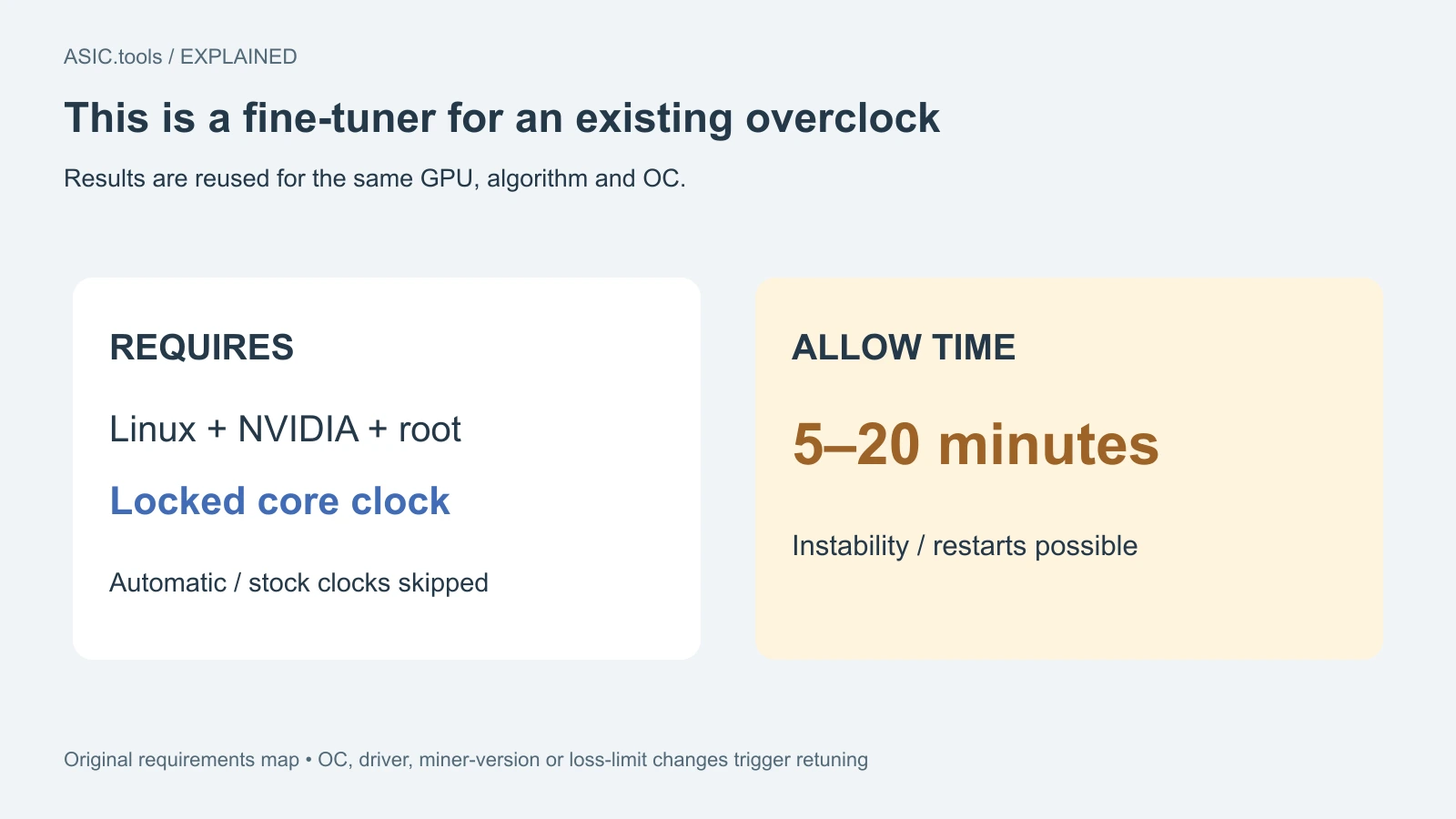
The new controls are gpu-power-tuner and gpu-power-tuner-loss. The developer describes the feature as an addition to an existing OC, meaning overclock configuration. It is not an automatic starting configuration for every graphics card. The tuner requires root administrator access and a locked core clock; cards using automatic or stock core clocks are skipped. Those requirements apply to this feature, not to a claim that every mining task needs the same setup.
The 2.5% default is a loss limit
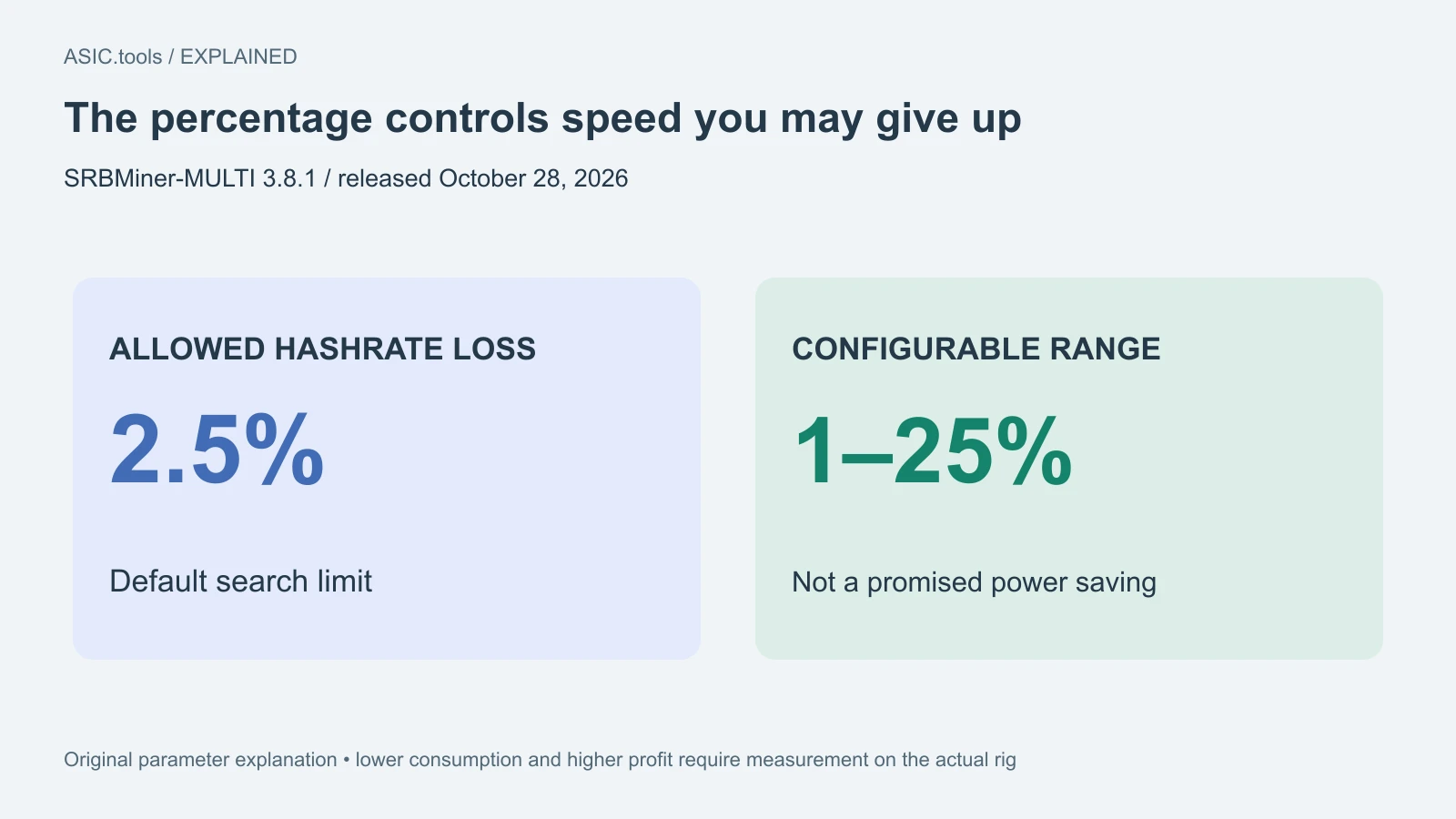
The maximum allowed hashrate loss can be set between 1% and 25%, including decimal values. Its default is 2.5%. That number tells the search how much speed it may give up; it does not say power will fall by 2.5%, nor that earnings will rise by that amount. A higher limit lets the tuner consider larger speed reductions in pursuit of lower consumption.
This distinction matters because lower power and better returns are different results. To compare configurations, keep the algorithm, pool conditions and observation period comparable, then look at accepted work, measured power and electricity cost together. A smaller watt reading can be useful even without a speed gain, while a bigger hashrate sacrifice may be unattractive at a cheap tariff. The release provides a mechanism to explore that balance, not the result for a reader’s card.
Allow time for tuning and check what gets saved
The developer says tuning can take 5–20 minutes, and the miner can become unstable and restart during the process. An initial restart is therefore a documented possibility, rather than proof that tuning has finished successfully. Preserve the previous working configuration so a short experiment does not leave the rig without a known comparison point. We read the release and parameter documentation; we did not run its executable or test a GPU.
Results are saved and reapplied on restart for the same GPU, algorithm and OC. Changing the OC, driver, miner version or loss limit triggers retuning. A result found before a driver change should not be treated as a permanent property of the hardware. Recording these settings beside the power measurement makes it possible to tell a reused result from a new tuning pass.
Some GPU and OC combinations may show no improvement; in that case the original settings are retained. Unsupported GPU and driver combinations are skipped. Those outcomes are part of the documented behavior. They are useful when judging a rig with mixed cards: a completed pass on one card does not establish that every selected card was tuned or that every card achieved a saving.
Device selection is separate from the loss setting
Enabling gpu-power-tuner without IDs applies it to all eligible NVIDIA GPUs selected for mining. Supplying IDs restricts it to those devices, and the same devices must also be selected for mining. The developer says to use the IDs reported by list-devices. In a mixed rig, identify the actual device before assuming the first card shown by another monitoring tool has the same number.
The HiveOS custom-miner route requires algorithm, pool and wallet to be entered manually through the extra configuration arguments. Downloading the custom package is therefore not a completed mining configuration. Use the official release and its parameter reference, preserve a known working setup and verify accepted work after a change. The release publishes archive MD5 values, but checking a listed hash is not the same as independently validating a digital signature.
The release also updates several algorithms
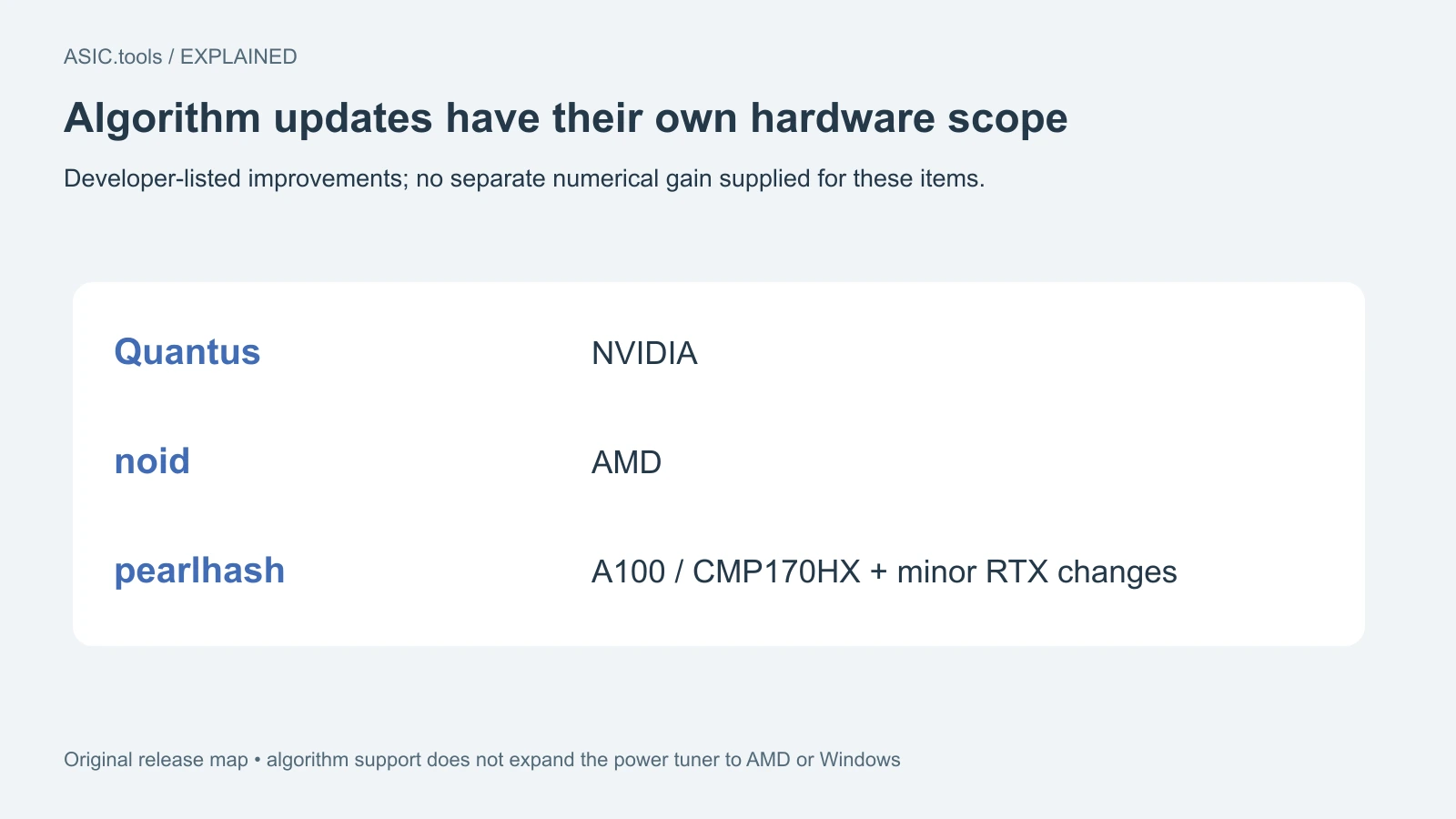
Version 3.8.1 lists improvements to Quantus on NVIDIA, noid on AMD and pearlhash on NVIDIA A100 and CMP170HX. It also lists minor pearlhash improvements for NVIDIA 2000, 3000, 4000 and 5000 series. These are developer release claims without a numerical gain supplied for each item; the Linux/NVIDIA scope of the power tuner must not be copied onto every separate algorithm improvement or expanded into an AMD tuner claim.
For an owner, the useful next comparison is straightforward: keep the same task, record the old result, allow tuning time and compare the resulting accepted work and power under the same conditions. Check again after a change that triggers retuning. This release adds another way to control operating cost and updates named GPU workloads, while the worthwhile setting remains something to measure on the actual rig.
For a farm-wide comparison, include the power of the supporting equipment actually measured. A per-GPU saving and the reduction at the whole rig’s electricity meter need not be the same percentage.
Source: SRBMiner-MULTI ↗ · Official parameter reference ↗
Mining calculator ↗