FreeForGem 1.7.6 adds idle-time NOID and CMFD mining for Windows PCs
Source report: 2026-11-01 · Editorial analysis published: 2026-11-04
The November 1 release extends a mode previously limited to Pearl and adds NVIDIA temperature-based load control for Pearl and NOID. An idle PC still consumes electricity when it mines.
A home PC can hand the GPU back when its owner returns
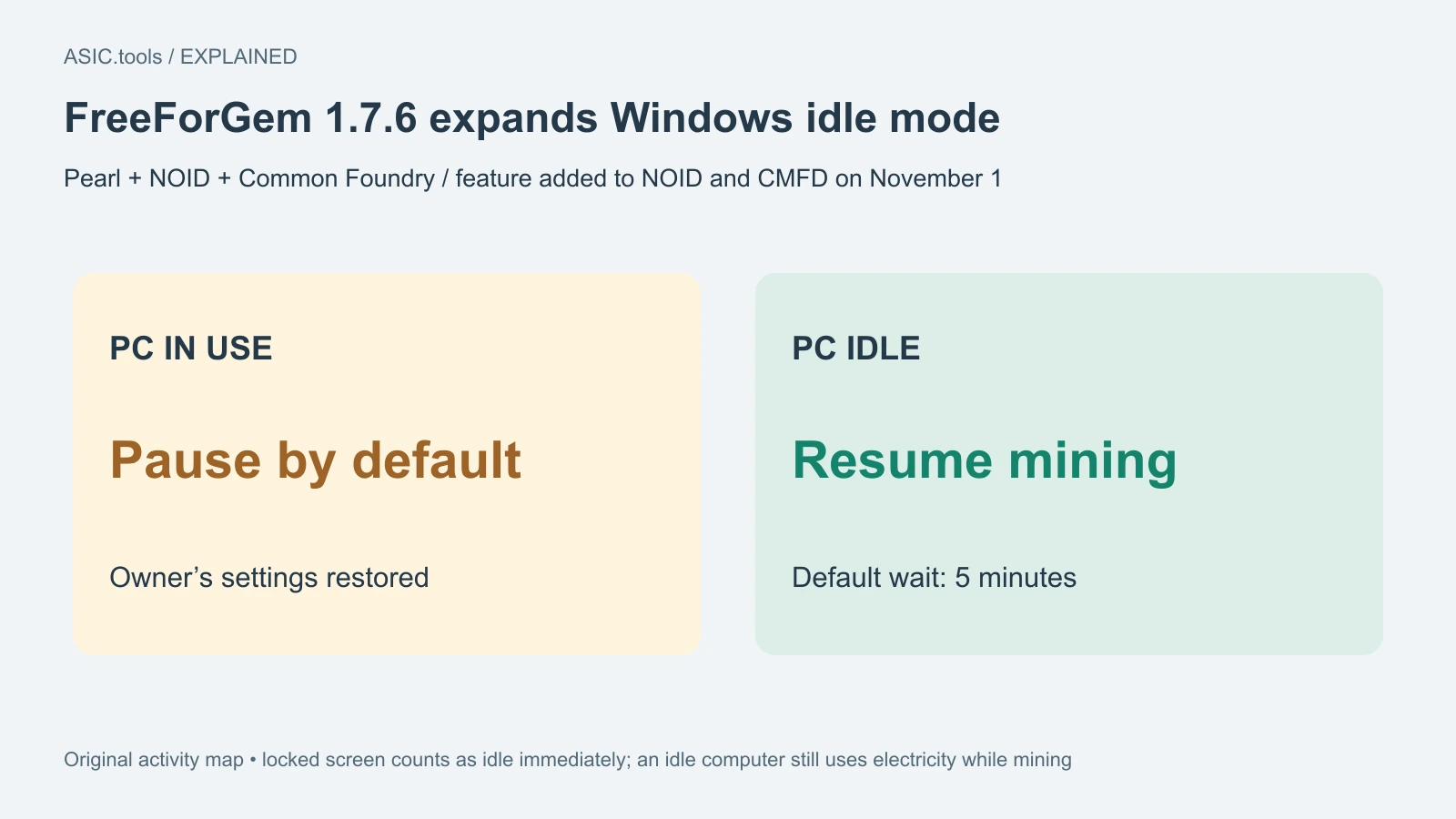
FreeForGem 1.7.6, released on November 1, expands Windows idle mode from Pearl to NOID and Common Foundry, abbreviated CMFD. These are three supported mining workloads, not Bitcoin ASIC modes. The change is relevant to an existing computer used for both normal work and mining: the software can react to activity instead of expecting the owner to stop it manually every time.
The default idle behaviour pauses mining when the PC is in use and resumes after inactivity. The manual says keyboard, mouse or gamepad activity, fullscreen programs and specified background workloads can count as use. The default wait before returning to full mining is five minutes without activity. A locked screen or screensaver counts as idle immediately.
That distinction matters if the owner thinks locking the screen means reducing load. Here it can do the opposite, allowing mining to resume. The mode schedules when the GPU works; it does not create free energy or establish that a laptop is suitable for continuous mining. The release makes no universal promise about noise, electricity cost or income on a shared computer.
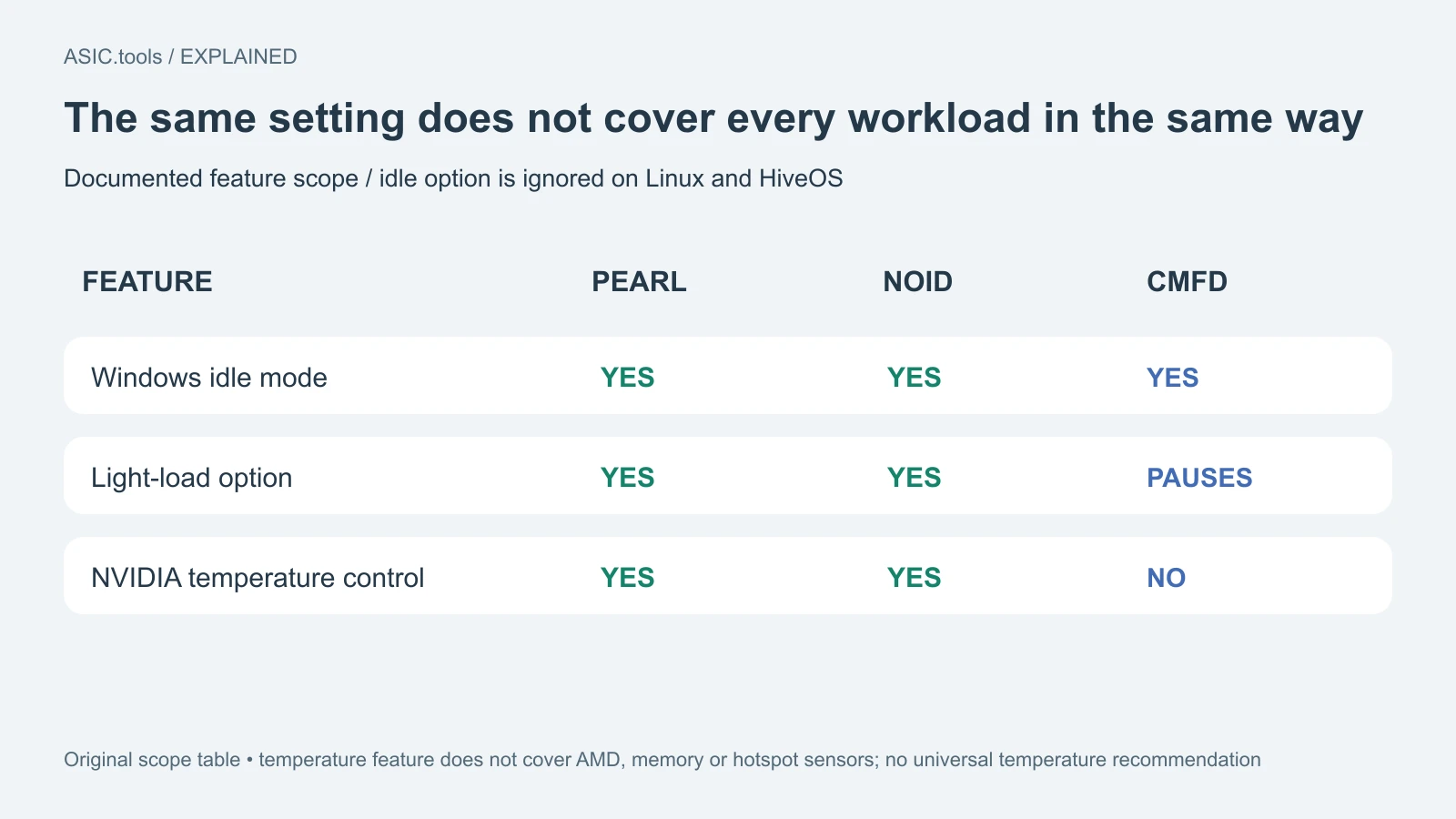
The pause and light settings behave differently
In the default pause mode, the manual says the GPUs receive no mining work and the owner's clocks and voltage-frequency offsets are restored. A new automatic voltage check does not start while the PC is active, although an already running one can finish within about a minute. These are documented behaviours rather than independently measured response times here.
Pearl and NOID also offer a light-load choice. It runs mining for a selected fraction of time, rather than giving that same guaranteed fraction of full hashrate or electricity savings. The manual notes that some laptop GPUs do not raise their clocks for short bursts, so the achieved hashrate can be much lower than the selected time percentage suggests.
CMFD behaves differently because it uses an external engine without a light-load mode. Selecting light pauses that engine too; restarting involves loading the model again. Owners should therefore expect a different stop-and-resume pattern from Pearl or NOID. A single setting label does not make the three workloads operationally identical.
This feature belongs to the logged-in Windows session
The documentation requires idle mode to run in the user's own Windows session. It can be started there directly or by a task triggered when that user logs on. A Windows service or a task configured to run whether the user is logged in is not equivalent; the miner says it refuses that arrangement for idle mode.
On Linux and HiveOS, the manual says the idle option is ignored. Their availability as downloadable packages does not make the Windows activity detector a cross-platform feature. The ordinary mining operating-system support and support for a specific convenience mode should be checked separately before changing an existing rig's setup.
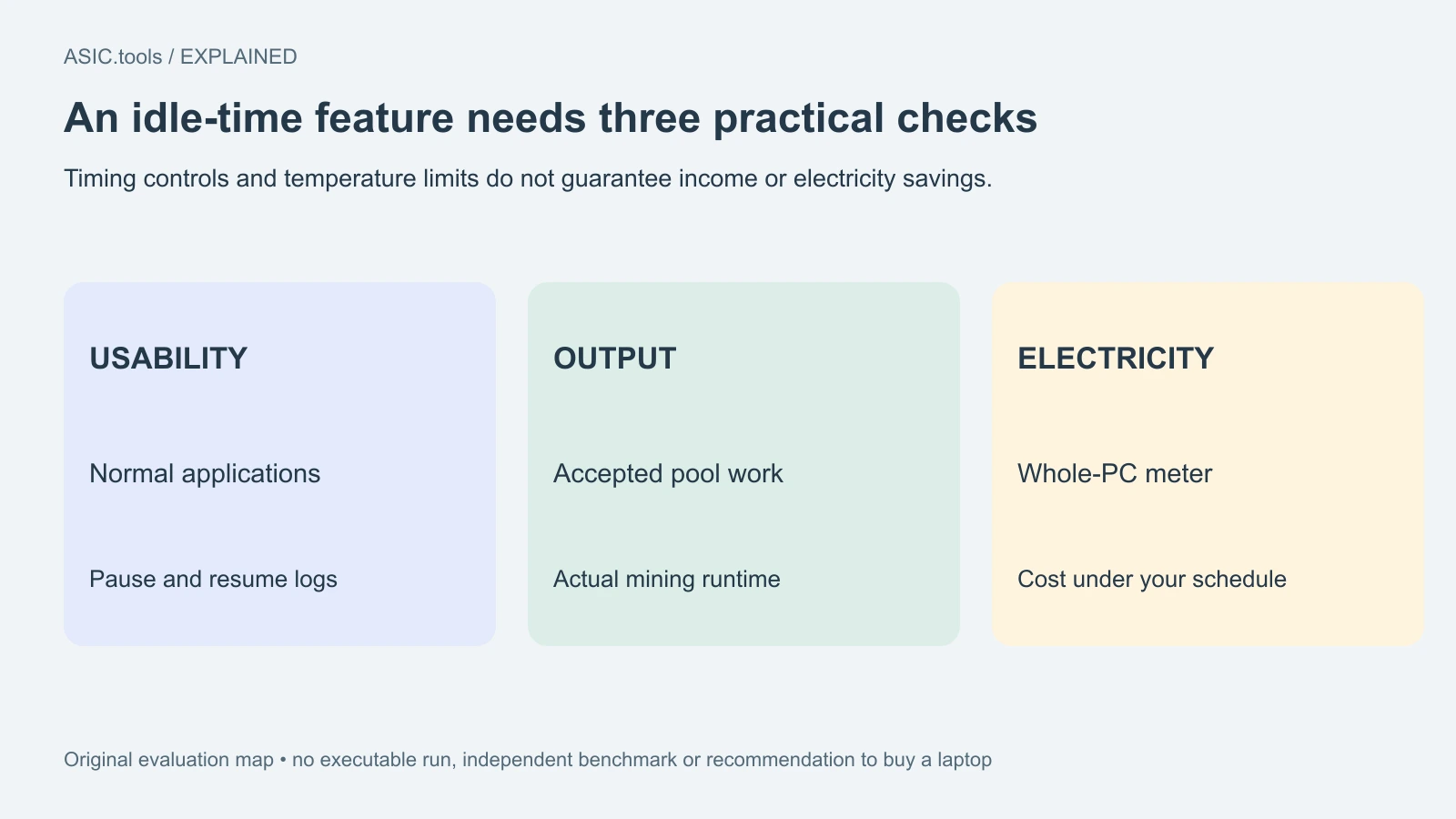
Logs identify why mining paused or returned to full load. That gives an owner something concrete to compare with actual behaviour: whether normal applications are responsive, whether the expected process caused a pause, and whether the correct workload restarted. A process merely staying open in the task list does not establish that it was continuously producing credited work.
New temperature control has a narrower scope
Version 1.7.6 also adds temperature-limit and temperature-stop controls, intended particularly for mobile GPUs with shared cooling. According to the manual, the controller reads NVIDIA core temperature and changes the fraction of time spent mining. A separate stop condition pauses work until the GPU cools before a gradual restart.
This load control supports Pearl and NOID on NVIDIA. It does not cover CMFD or AMD, and the documentation explicitly says memory and hotspot sensor support was not ported into this feature. Core-temperature control is therefore not a complete account of every component's thermal condition. No single target temperature is recommended for every computer in this report.
The same documentation says duty cycling can cost hashrate and efficiency because the GPU can still use boost clocks during each working burst. A temperature cap and an electricity-saving result are not interchangeable claims. For a home computer, use the actual machine's supported controls and measured whole-system consumption rather than assuming a percentage load equals a matching percentage reduction on the bill.
Automatic tuning and a sensible way to assess the release
The release unifies automatic undervolt tuning and profile storage across Pearl, NOID and CMFD. Undervolting means adjusting the voltage-frequency relationship to seek correct computing at lower voltage. The developer describes a 30 MHz coarse search followed by 15 MHz refinement in the first failing interval, aiming for fewer tuning steps; a driver crash is not deliberately repeated for refinement.
Profiles keep the 1.7.5 file format, and the notes add revalidation and recovery-related behaviour across workloads. These are software-management changes, not a guarantee that every GPU reaches the same efficiency or remains stable at another owner's settings. The repository overview still points to 1.7.5 in some download examples, so use the dated 1.7.6 release record to identify the intended package and checksum.
For an existing PC, compare accepted pool work, responsiveness, actual runtime and electricity under the schedule you would really use. Keep its previous working configuration available. No executable was run for this report, and no independent speed or safety result is claimed. The verified news is a recent, previously unpublished feature expansion with practical limits, not a reason to buy a laptop or assume that every idle hour will be profitable.
Source: FreeForGem ↗ · Official manual, sections 18 and 19 ↗ · Official repository and supported workloads ↗
Mining calculator ↗