BzMiner adds BitcoBoost mining on CPUs and four GPU families
Source report: 2026-11-26 · Editorial analysis published: 2026-11-27
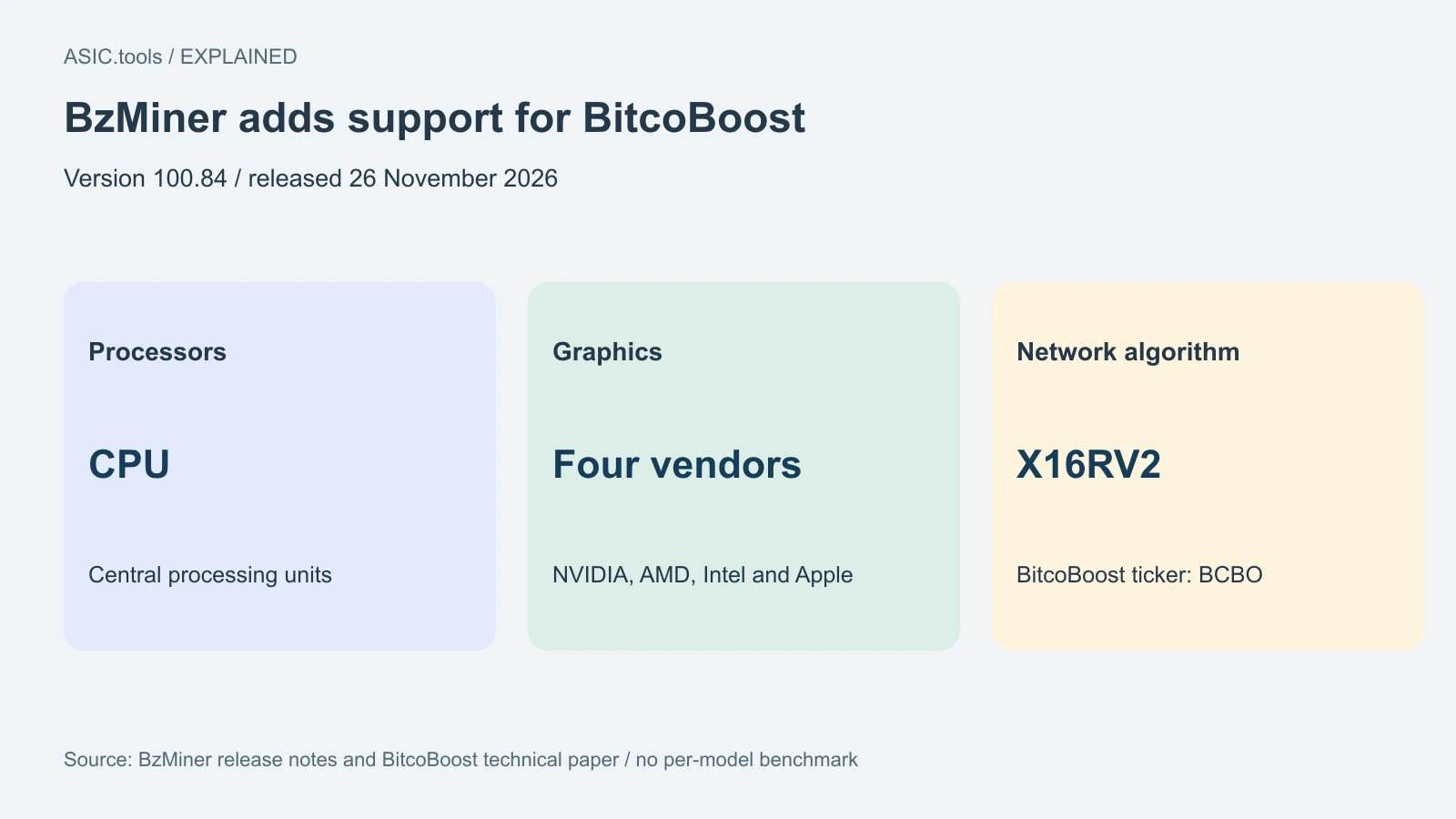
Version 100.84 lists NVIDIA, AMD, Intel and Apple graphics, as well as CPU mining. It also adds solo mining through a local BitcoBoost node, where the payout depends on finding a block.
A new choice for installed hardware
On November 26, BzMiner released version 100.84 with BitcoBoost mining on CPUs and on NVIDIA, AMD, Intel and Apple graphics hardware. The update also introduces solo mining against an operator’s own BitcoBoost node. For a reader who already owns a suitable computer, this is a way to try another proof-of-work network using existing equipment. The release notes name hardware families without reporting a tested rate for each model.
BitcoBoost uses the symbol BCBO and runs its own blockchain. Its project documentation describes X16RV2, the rule that determines which calculations can earn the right to add a block. That differs from Bitcoin’s SHA-256 mining. A Bitcoin ASIC is designed for its own algorithm. The familiar name and parts of the shared software ancestry do not make Bitcoin hash rates, wallet addresses or rewards portable to BCBO.
Mining alone changes how rewards arrive
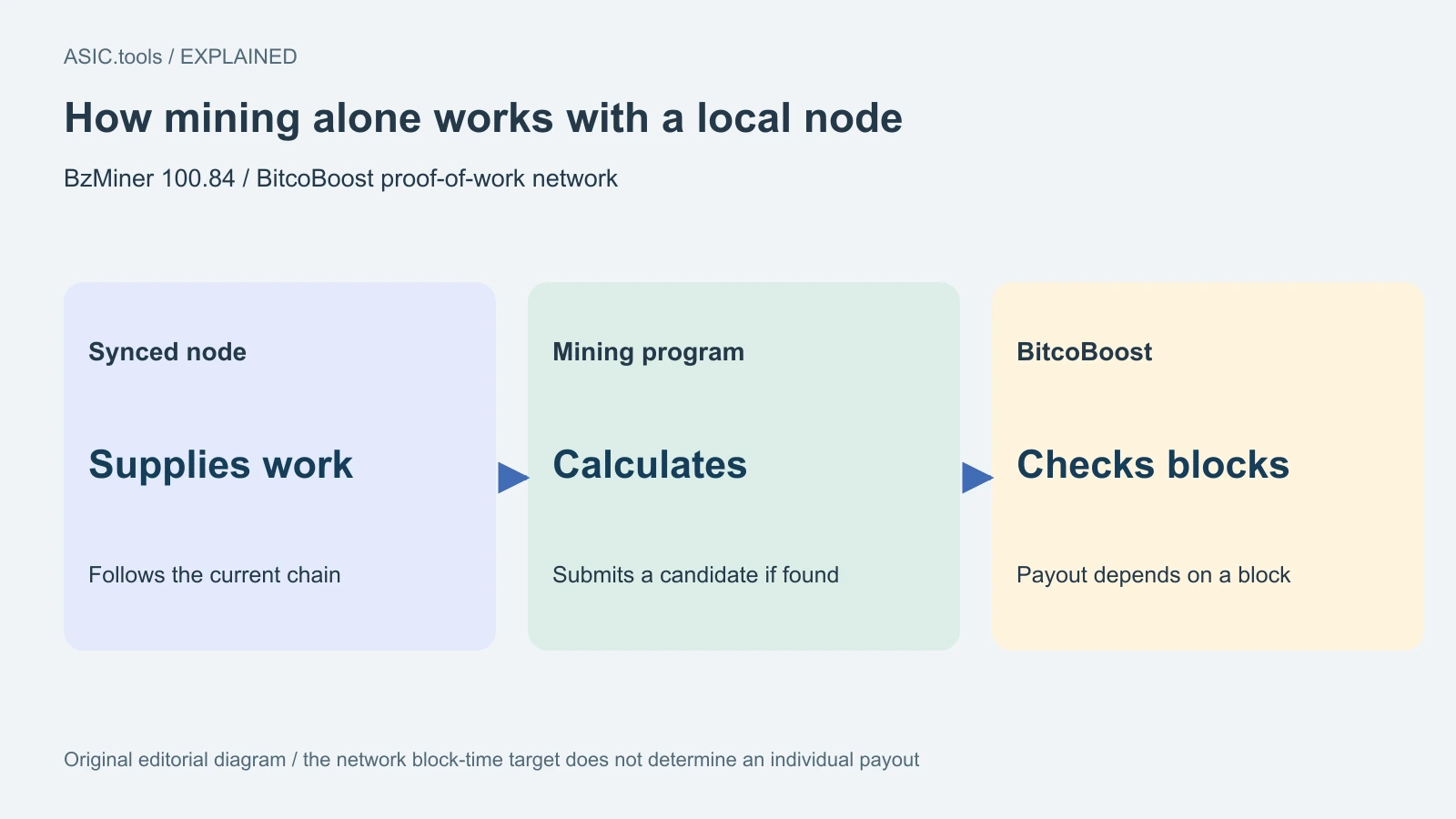
A full node is a program that follows and checks the chain’s records. The new release lets the miner get work from its own BitcoBoost node and submit a candidate block. Someone running that setup needs a node synchronized with the chain and an address for BCBO rewards under their own control. Monitoring the node and the miner are separate tasks: a connected miner can draw power before its operator has verified that it is working on the current chain.
A pool combines the work of many machines. Depending on its payout rules, a pool may credit small amounts more frequently. A local solo setup leaves the timing of the first block to chance. It can run for a long period without earning a payout, even while computing continuously. BitcoBoost’s technical paper describes an average target of about ten minutes per block for the whole network. That target says nothing about when an individual CPU or GPU will find one.
The public explorer records confirmed blocks for the network. It is useful for checking that the node is following the same chain and height, but a public block record generally tells you little about the power an individual machine used. Keep a separate local record of idle and mining periods, including times when the node was catching up.
Compare a CPU and a GPU with the same yardstick
BzMiner’s list spans different kinds of hardware. The useful comparison is sustained X16RV2 output and measured energy draw on the same test basis. A light test might begin with the CPU or GPU already in use, measure the computer when idle, then measure it under a steady mining load. Cooling, wall power, errors and stable operation matter more to that comparison than the vendor name.
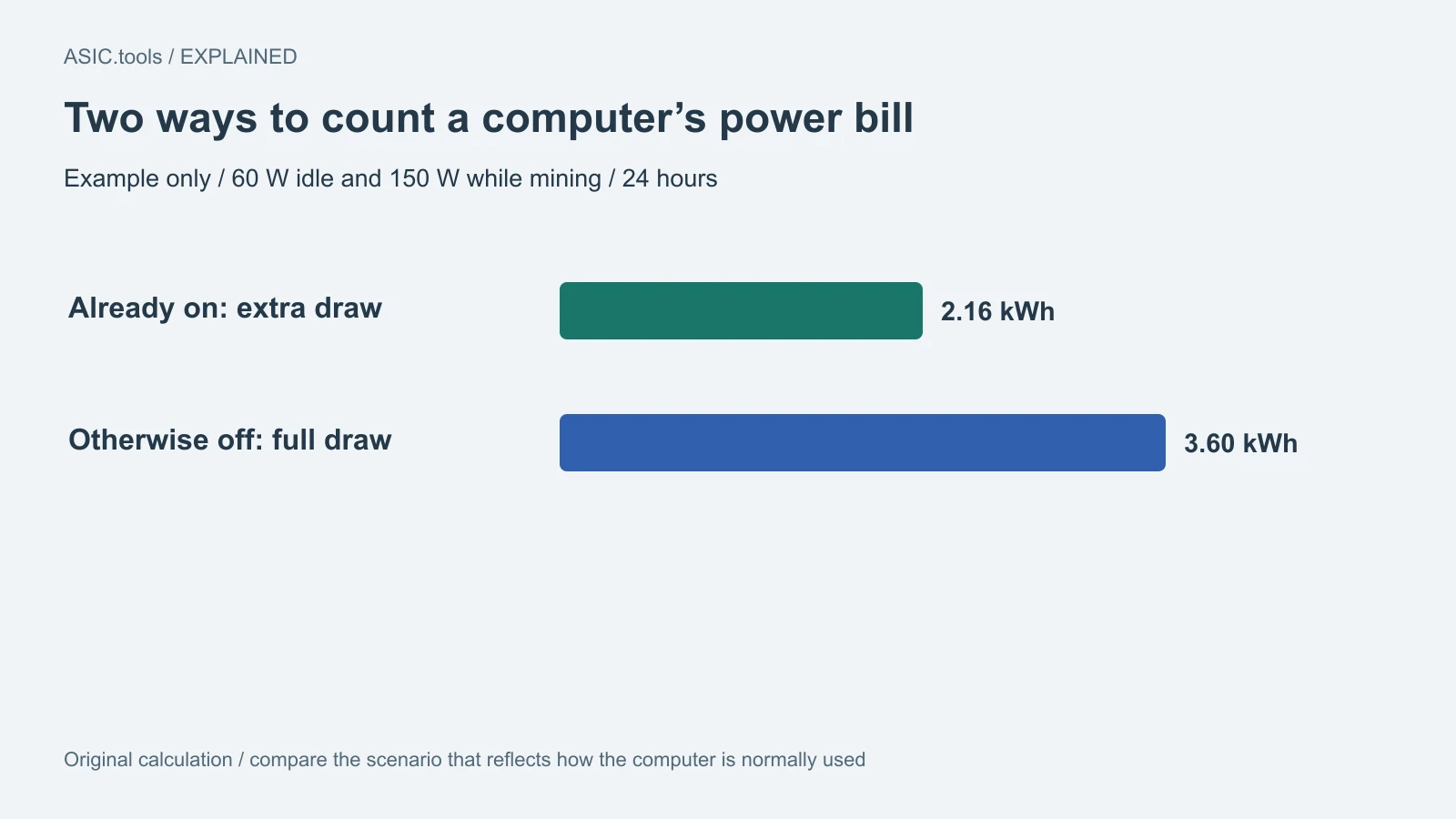
An example illustrates the difference between using additional power and switching a computer on just to mine. A hypothetical computer drawing 60 watts idle and 150 watts while mining adds 90 watts to continuous operation, or 2.16 kilowatt-hours in a day. If it would have been off, the full 150 watts applies, or 3.60 kilowatt-hours. These are illustrations, not BzMiner benchmarks. For either scenario, the local tariff sets the power cost and the coin’s proceeds still have to be measured separately.
Add the test basis to any comparison you share. A one-card machine, an integrated graphics system and a CPU-only machine can have different base consumption. Write whether the card reading or the whole-computer reading was used. If the machines serve other tasks as well, say how long those tasks and mining actually overlap.
Check the release and measure the result
The developer lists download hashes for the main archives. Comparing a download’s SHA-256 fingerprint against the one in that release helps verify that the bytes match. For a first trial, keep the node and its control connection within a trusted environment and keep the wallet backup separate from the miner. The chain explorer can be used to check what the network is recording.
Version 100.84 opens another software path to BCBO on existing computers. Anyone evaluating that option can start by noting the hardware and software versions, what the miner actually computes over a steady period, and what the meter says. Software compatibility is only the first question. Solo reward timing and the cost of electricity do much of the work in the next decision.
Break-even means the proceeds cover the costs you decide to count. For a short hardware test, those may be limited to the electricity used. For a decision about buying new hardware, there is also purchase cost and the possibility of operating for an extended period without a solo payout. Keep the two decisions distinct.
Source: BzMiner ↗ · BitcoBoost project technical paper ↗ · BitcoBoost block explorer ↗
Mining calculator ↗