Braiins warns Bitcoin miners after pool traffic was diverted at over 1,000 sites
Source report: 2026-11-25 · Editorial analysis published: 2026-11-26
The pool recommends checking primary and backup connections. An ASIC can look healthy while the legitimate pool stops crediting its work.
The ASIC kept working while the pool stopped seeing it
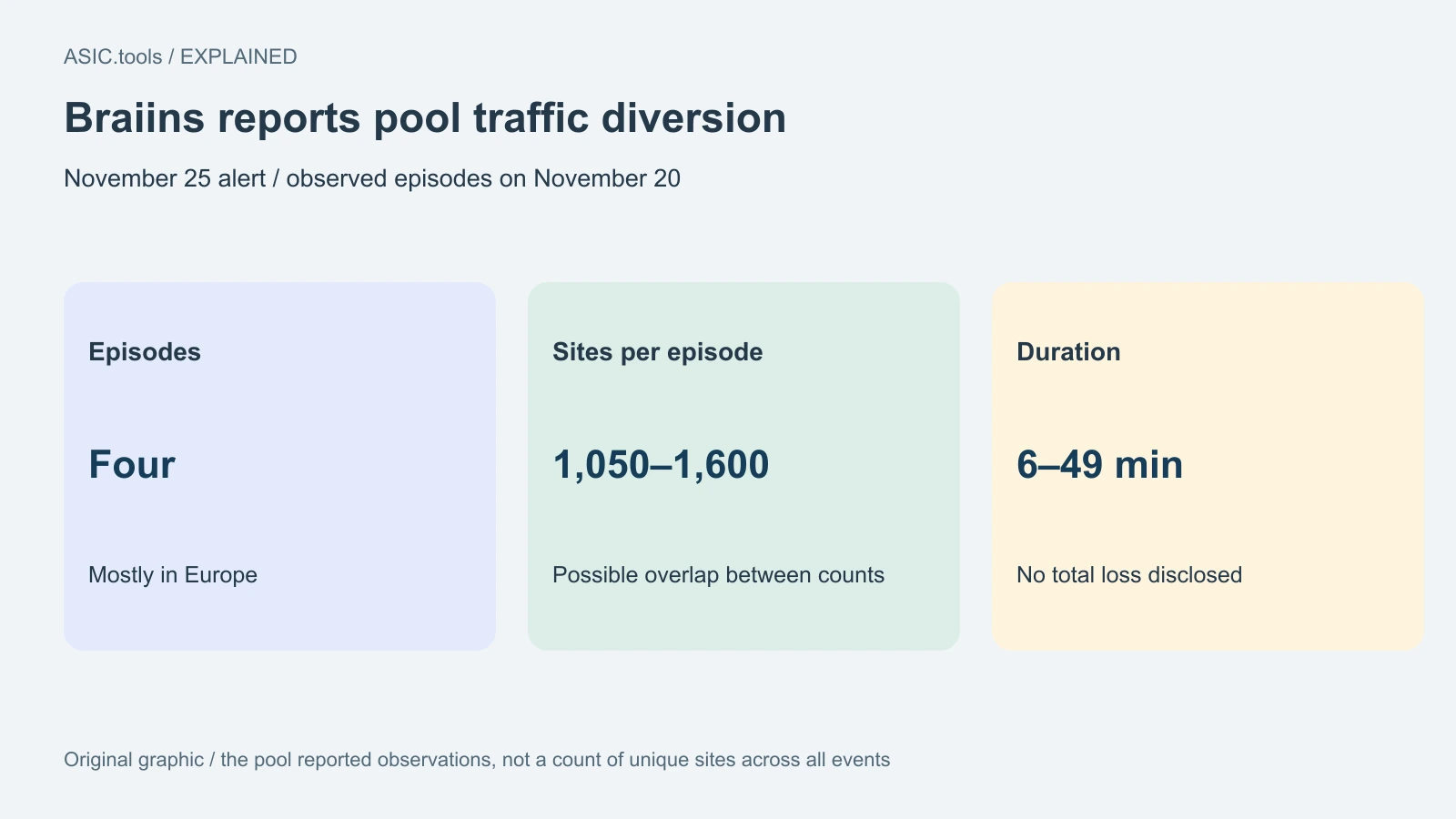
Bitcoin mining pool Braiins issued a security alert on November 25 after observing miners’ internet connections diverted to an impostor. It reported four episodes on November 20, mostly in Europe. Its figures range from 1,050 to 1,600 mining sites per episode, lasting six to 49 minutes. The site counts are Braiins’ observations for individual episodes. Adding those counts would risk counting the same installations more than once. The company did not state a total amount of lost rewards.
A mining pool sends work to machines and counts the results they return. Those results, called shares, show the pool that a miner is doing its share of the calculations. In this case the machine could still report normal temperature and computing speed.
Its dashboard could even show a live server. But the proper pool stopped seeing its work. Braiins said the incident affected the connection between the pool and the machines. It reported no compromise of its pool systems, existing account balances or payout settings.
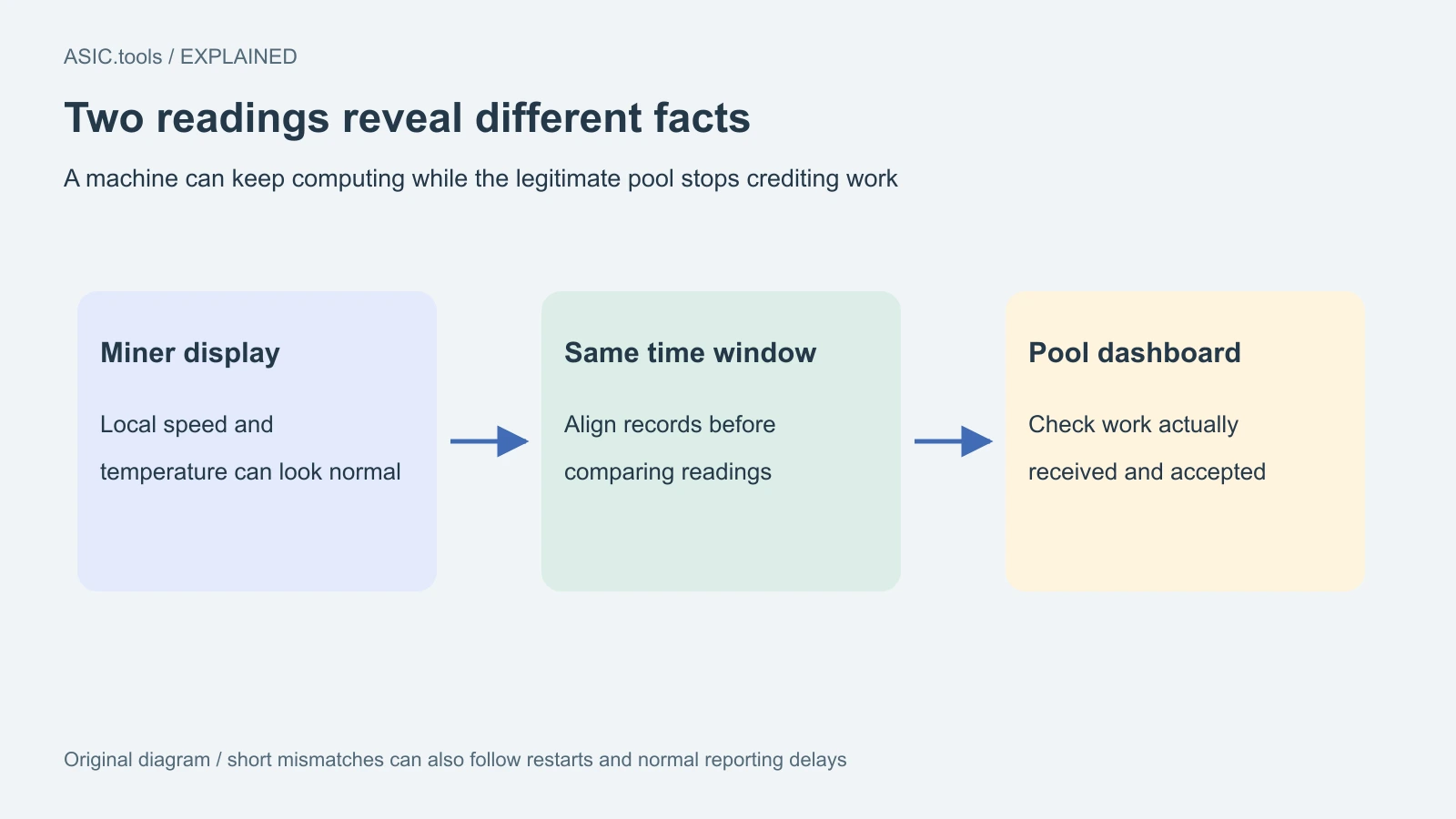
That distinction matters on a mining bill. A machine that keeps drawing power while its work misses the intended pool can still cost the operator electricity for every minute of the incident. Resetting a wallet or changing a payout address would not repair the connection. The quickest way to tell that something is wrong is to compare the work displayed by the machine with what the pool actually credits over the same period.
Check both the pool and the miner
A gap between local and pool readings can have ordinary explanations. A slow connection, a restart, a mistake in the worker name or a short reporting window can all change what the pool shows.
Look for a sustained fall in accepted work, and line up timestamps when contacting the pool. At a larger site, compare several units at once. A sharp simultaneous drop deserves a closer look even if all fans and temperatures appear normal.
The warning concerns ordinary unencrypted Stratum V1, one way in which mining equipment exchanges messages with a pool. To identify what is in use, compare the primary and fallback settings with official instructions for the pool and firmware. The fallback is the connection the miner tries when the main one fails. It needs the same scrutiny, since it may be used precisely when the primary connection is unavailable.
Choose a protected connection your equipment supports
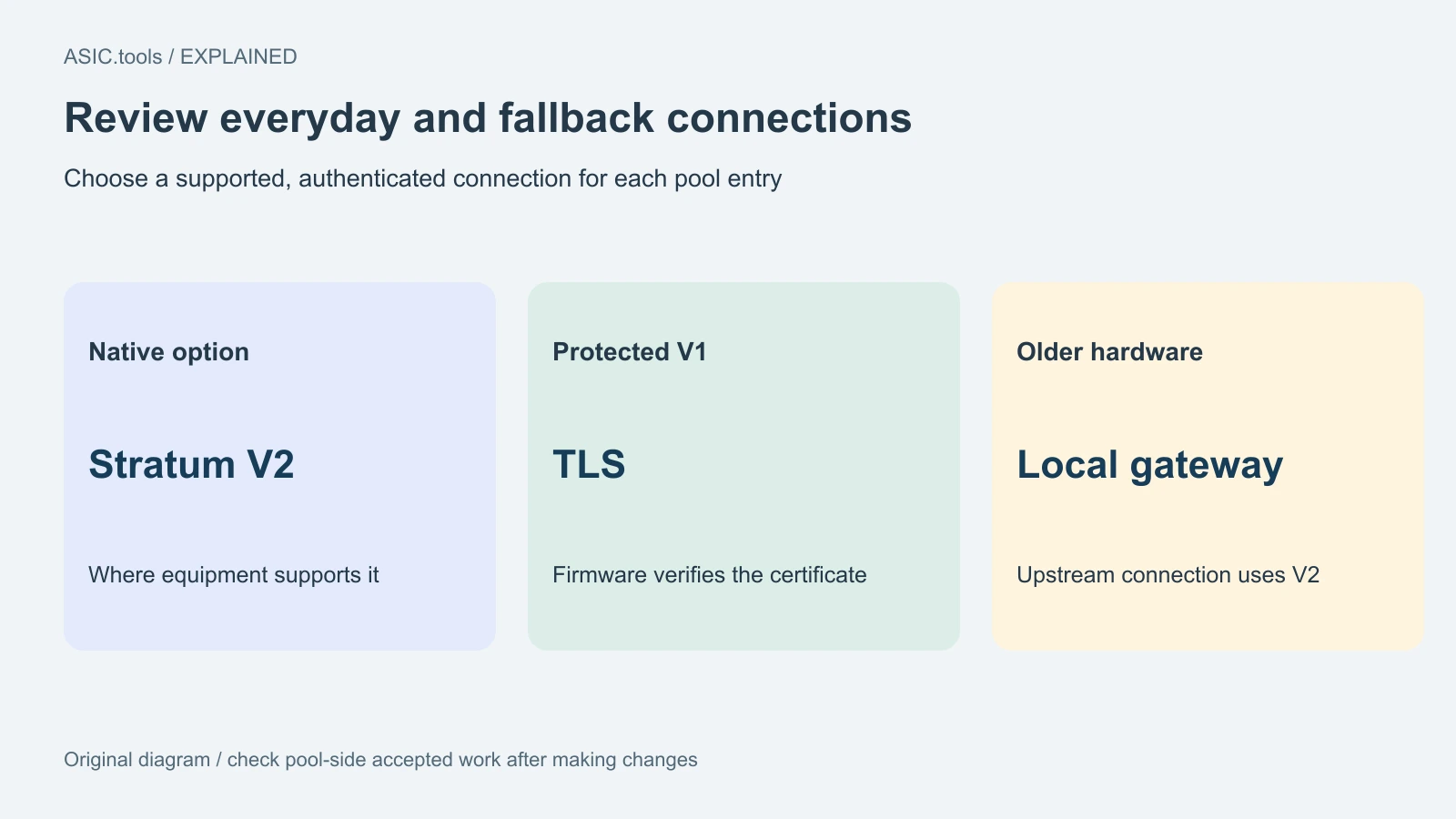
Braiins recommends Stratum V2 where supported. It protects messages and allows the equipment to verify that it has reached the intended server. Another option is Stratum V1 over TLS, the form of protection used by HTTPS, if the miner firmware verifies the pool certificate. Changing a label on the device alone does not establish that the equipment is checking the server’s identity.
For older equipment without either option, Braiins introduced a local gateway that can connect to its pool over Stratum V2. It runs inside the operator’s own network. Operators should confirm how their firmware and chosen pool support the arrangement, check backup entries and verify that accepted work returns to the account after any change.
Authentication helps prevent an impostor from receiving mining work. A connection can still go offline, which is why pool-side monitoring remains useful after the upgrade.
Before changing settings, save the current configuration and record the names of the workers affected. On a hosted machine, ask the operator which connection it actually provides and how the firmware authenticates the pool. A screenshot of the machine showing a green status light alone does not establish what the pool has received. An agreed test with one worker can establish what healthy operation looks like on both screens.
Source: Braiins ↗ · Stratum V2 project overview ↗
Mining calculator ↗